How to Find Your Kate Login Info & Reset Your Password
If you're having trouble logging in to CommuniKate, or if you've forgotten your password or login details—don't worry! You can now use our updated reset website to:
- Reset your password
- Reset your PIN
- Find your Kate email address
- Find your toll-free CommuniKate number (also known as your "Kate number")
These can all be used to log in at https://login.katewwdb.com/ or in the CommuniKate app.
🖥 Step-by-Step Instructions
1. Go to the Reset Website
Visit: https://reset2.securekate.com/
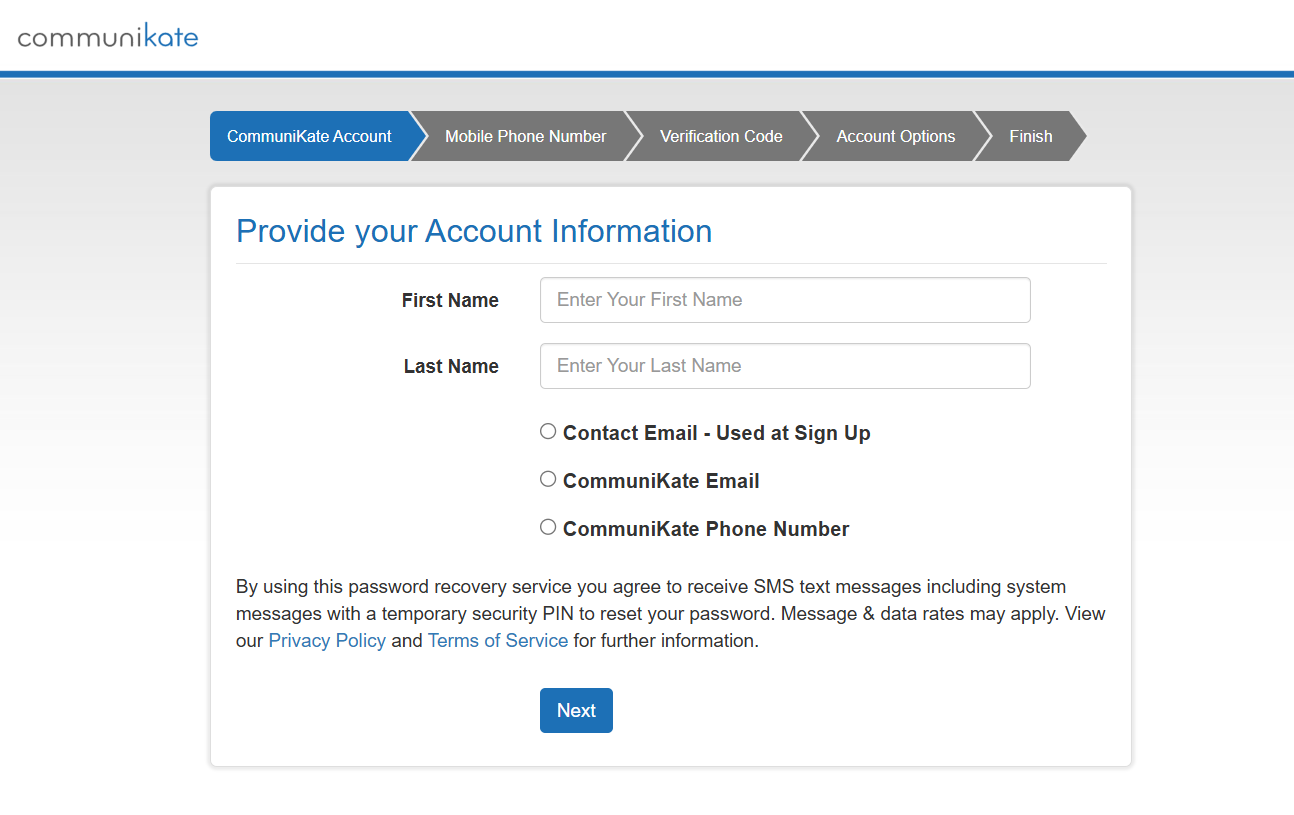
2. Enter Your Name and Email
- Type in the name on your account
- Choose the email you used when you signed up or CommuniKate email or CommuniKate toll free number
- Click Next
💡 Most customers will only see one account. If you see more than one, just choose the one you want to update.
3. Check Your Email/Text Message for a Code
- Open your email and find the message from
noreply@Webley.com - Enter the code into the box on the screen
4. See Your Login Info
- Your toll-free Kate number
- Your Kate email address
You can use either of these to log in!
5. Choose What You Want to Reset
- Reset Password
- Reset PIN
Click the one you need. Then enter your new information and click Reset.
6. Look for Confirmation Email
You'll get a message saying your password or PIN has been changed. You'll also receive an email confirming the update that contains your Kate email or toll free number.
7. Log In to Your Account
Now that you have your:
✅ New password
✅ Kate number or Kate email
You can go to https://login.katewwdb.com/ and log in!
🆘 Need Help?
If you get stuck or aren't sure what to do, we're here for you!
Email us at support@katewwdb.com with details of your issue and we are happy to help!
We're happy to walk you through it—step by step.
If you get stuck or aren't sure what to do, we're here for you!
Email us at support@katewwdb.com with details of your issue and we are happy to help!
We're happy to walk you through it—step by step.